Best Free Messaging Apps Like GB WhatsApp in 2026
Best Free Messaging Apps Like GB WhatsApp in 2026
GB WhatsApp is one of the most popular messaging apps in the world. It offers features that the official WhatsApp simply does not provide. But not every user can run it smoothly all the time. Some face account issues. Others look for something different. Whatever the reason, knowing your options is always a good idea.
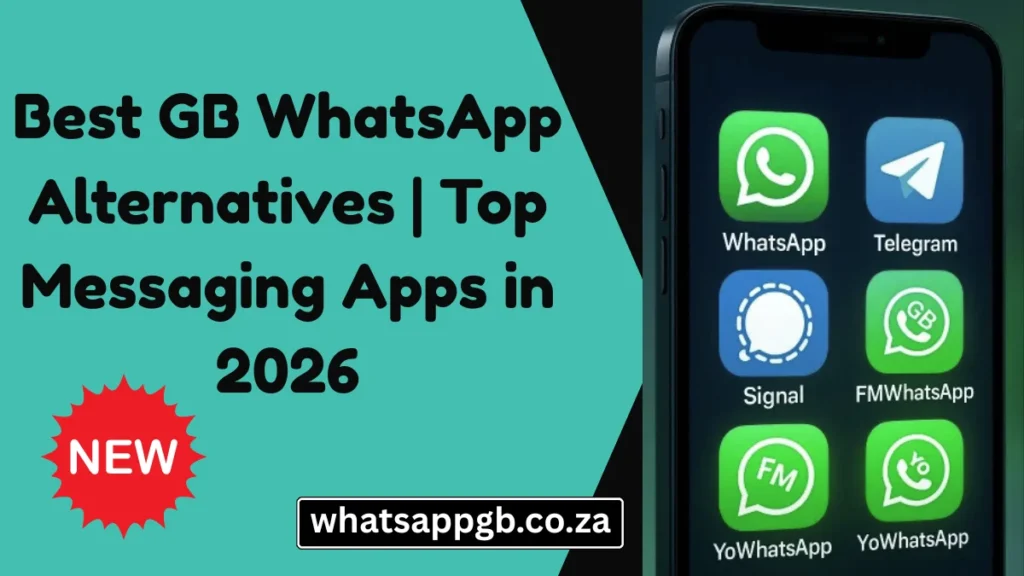
This guide covers the best GB WhatsApp alternatives available in 2025. Each app on this list has been chosen for a specific reason. Some are better for privacy. Some are better for features. Some are better for large groups. Read through and find the one that fits your needs.
What Makes a Good GB WhatsApp Alternative
A good alternative should do at least one thing as well as GB WhatsApp or better. It should be stable, regularly updated, and available on both Android and iOS. Privacy features, customisation options, file sharing limits, and group chat capabilities are the main areas where messaging apps differ from one another. This list covers all of those areas.
1. Telegram
Telegram is the most feature-rich official messaging app available today. It is free, fast, and works on every platform including Android, iOS, Windows, Mac, and Linux.
Telegram allows you to send files up to 2GB in a single transfer. Groups can hold up to 200,000 members. Channels allow you to broadcast messages to an unlimited number of subscribers. The app supports custom themes, scheduled messages, silent notifications, and message editing even after sending.
Privacy is taken seriously on Telegram. Secret Chats use end-to-end encryption with self-destruct timers. You can use a username instead of sharing your phone number with contacts. This level of control over your identity is rare in mainstream messaging apps.
For anyone leaving GB WhatsApp and looking for the closest experience in an official app, Telegram is the first place to look.
Platform: Android, iOS, Windows, Mac, Linux Best for: Users who want maximum features in an official ap
2. Signal
Signal is the most private messaging app available to the general public. It uses end-to-end encryption on every message, call, and file transfer by default. There are no exceptions and no optional modes. Everything is encrypted all the time.
The encryption protocol developed by Signal is so strong and well-respected that WhatsApp and several other major apps have adopted versions of it. Signal’s own implementation remains the most thorough.
Beyond privacy, Signal has grown into a comfortable everyday messaging app. It supports group chats, voice and video calls, disappearing messages, file sharing, and a clean desktop app for Windows and Mac. It is run by a non-profit foundation with no advertising model, which means your data is never used for commercial purposes.
Signal is the right choice for anyone who puts privacy above everything else.
Platform: Android, iOS, Windows, Mac, Linux Best for: Privacy-focused users
3. WhatsApp Plus
WhatsApp Plus is a modified version of WhatsApp similar to GB WhatsApp. It runs on the same base as the original app but adds features that WhatsApp has never officially offered.
Custom themes, extended privacy controls, larger file sharing limits, and interface customisation are the main additions. The app uses your existing WhatsApp number and works with your current contact list, which makes switching between GB WhatsApp and WhatsApp Plus easy.
WhatsApp Plus and GB WhatsApp are direct competitors in the modified app space. Both are updated regularly and both offer a strong feature set. The differences come down to design preferences and small feature variations rather than one being clearly superior to the other.
If you enjoy using GB WhatsApp and want to try a similar modified build, WhatsApp Plus is the most natural comparison.
Platform: Android Best for: GB WhatsApp users who want to explore another modified WhatsApp build
4. GBWhatsApp Pro
GBWhatsApp Pro is the advanced version of GB WhatsApp. It carries all the features of the standard build and adds improvements on top of them. Anti-ban protection is stronger in the Pro version. The theme library is larger. Privacy settings offer more granular control. File sharing limits are extended further.
The Pro version typically receives updates slightly ahead of the standard build and often introduces new features before they appear in the regular release. For users already comfortable with the GB WhatsApp ecosystem, the Pro version is the logical next step.
Download the latest GBWhatsApp Pro APK from whatsappgb.co.za to make sure you are getting the most current and verified version.
Platform: Android Best for: Existing GB WhatsApp users who want the most advanced modified build available
5. Viber
Viber is a well-established messaging app with a strong focus on calling features. It offers end-to-end encrypted messages and calls across all conversation types. Group chats support up to 250 members and communities can hold up to one billion members.
The standout feature of Viber is Viber Out, which lets you make calls to regular phone numbers at low rates. This is particularly useful for international communication where standard call rates are expensive.
Viber also supports disappearing messages, message editing, stickers, GIFs, and a desktop version for Windows and Mac. The app is free to download and the core messaging features cost nothing to use.
For users who need both messaging and affordable calling in one app, Viber is a reliable and well-maintained option.
Platform: Android, iOS, Windows, Mac Best for: Users who make frequent calls and want messaging and calling in one app
6. Line
Line is one of the most downloaded messaging apps in the world. It is particularly popular in Japan, Thailand, and Taiwan, where it functions as a primary communication platform for millions of people.
Line offers messaging, voice calls, video calls, a timeline feature similar to a social media feed, and a built-in payment system called Line Pay. The sticker library is one of the largest and most creative of any messaging app. Themes and interface customisation are available and genuinely varied.
For users who communicate regularly with contacts in Asia, Line is often not just an alternative but a necessity. For everyone else, it offers a social and feature-rich messaging experience that goes beyond simple text conversations.
Platform: Android, iOS, Windows, Mac Best for: Users with contacts in Asia and users who want social features built into their messaging app
7. Discord
Discord began as a voice chat platform for gamers and has grown into one of the most widely used communication platforms on the internet. In 2025 it is used by communities built around every topic imaginable, from technology and education to business and creative projects.
What makes Discord different from every other app on this list is its server structure. Instead of simple group chats, Discord uses servers with multiple channels organised by topic. Voice channels allow spontaneous audio conversations without needing to start a formal call. Roles give different members different permissions. Bots can automate moderation and add custom functionality.
For anyone managing a large group or community, Discord handles structured communication in a way that WhatsApp and its modified versions are not designed to do. Direct messaging between individual users is also available and works cleanly alongside the server features.
Platform: Android, iOS, Windows, Mac, Linux Best for: Communities, teams, and large group communication
8. Snapchat
Snapchat is built around a simple idea that no other major app has fully replicated. Messages and photos disappear after being viewed. Stories vanish after 24 hours. The entire experience is designed around moments rather than archives.
For users who feel uncomfortable with years of conversation history stored in a chat thread, Snapchat offers a genuinely different approach to communication. Photos and videos sent as Snaps are viewed once and gone. The format encourages casual, in-the-moment sharing rather than careful, permanent messaging.
Snapchat is not a direct replacement for GB WhatsApp as an everyday messaging tool. It works best as a secondary app for visual and ephemeral communication alongside a primary messaging app.
Platform: Android, iOS Best for: Visual communication and users who prefer messages that do not stay permanently
9. Threema
Threema is a paid messaging app that takes privacy seriously at every level. Unlike Signal and Telegram, Threema does not require a phone number or email address to create an account. You are assigned a random Threema ID when you first open the app and that is the only identifier you need.
All messages, calls, and files are end-to-end encrypted. Metadata is kept to an absolute minimum. The app is developed and hosted in Switzerland, which operates under some of the strongest data protection laws in the world.
Threema costs a small one-time fee to download. For users who want the strongest possible privacy without any link between their account and their real identity, that fee is justified.
Platform: Android, iOS, Windows, Mac Best for: Users who want maximum anonymity and privacy
10. iMessage
iMessage is Apple’s built-in messaging service and it is available exclusively on Apple devices. If you and your contacts all use iPhone or iPad, iMessage delivers one of the cleanest and most integrated messaging experiences available anywhere.
End-to-end encryption is on by default. Messages sync seamlessly across iPhone, iPad, and Mac. Reactions, thread replies, location sharing, and file transfers all work without any configuration. The interface is refined and reliable.
The limitation is significant. iMessage only works between Apple devices. Any conversation with an Android user falls back to standard SMS. For users in a mixed iOS and Android environment, iMessage becomes one tool among several rather than a complete solution.
Platform: iOS, Mac only Best for: iOS users who communicate primarily with other iOS users
Quick Comparison Table
| App | Platform | End-to-End Encryption | Free | Best Feature |
|---|---|---|---|---|
| Telegram | All | Partial | Yes | Features and file sharing |
| Signal | All | Yes | Yes | Privacy |
| WhatsApp Plus | Android | Partial | Yes | Customisation |
| GBWhatsApp Pro | Android | Partial | Yes | Advanced modified features |
| Viber | All | Yes | Yes | Calling features |
| Line | All | Partial | Yes | Social features |
| Discord | All | No | Yes | Community management |
| Snapchat | Mobile | Partial | Yes | Disappearing messages |
| Threema | All | Yes | Paid | Full anonymity |
| iMessage | Apple only | Yes | Yes | iOS integration |
Which App Should You Choose
The right app depends entirely on what you need.
If you want the closest experience to GB WhatsApp in an official app, choose Telegram. If privacy is your main concern, choose Signal. If you want to stay within the modified WhatsApp world, try WhatsApp Plus or upgrade to GBWhatsApp Pro. If you need calling features built in, Viber is the answer. If you manage a community or team, Discord is in a category of its own.
Most people use more than one messaging app. GB WhatsApp handles your WhatsApp contacts with all the extra features you rely on. One of the apps above handles the rest.
Final Thoughts
GB WhatsApp remains the best choice for users who want a feature-rich WhatsApp experience with full customisation and privacy control. But the apps on this list show just how strong the messaging app landscape has become in 2025.
Explore the ones that interest you. Keep the ones that add value to your communication. And for the latest GB WhatsApp APK downloads, guides, and updates, stay right here at whatsappgb.co.za